Changelog

SCADA 1.2

Labels

QR Labels

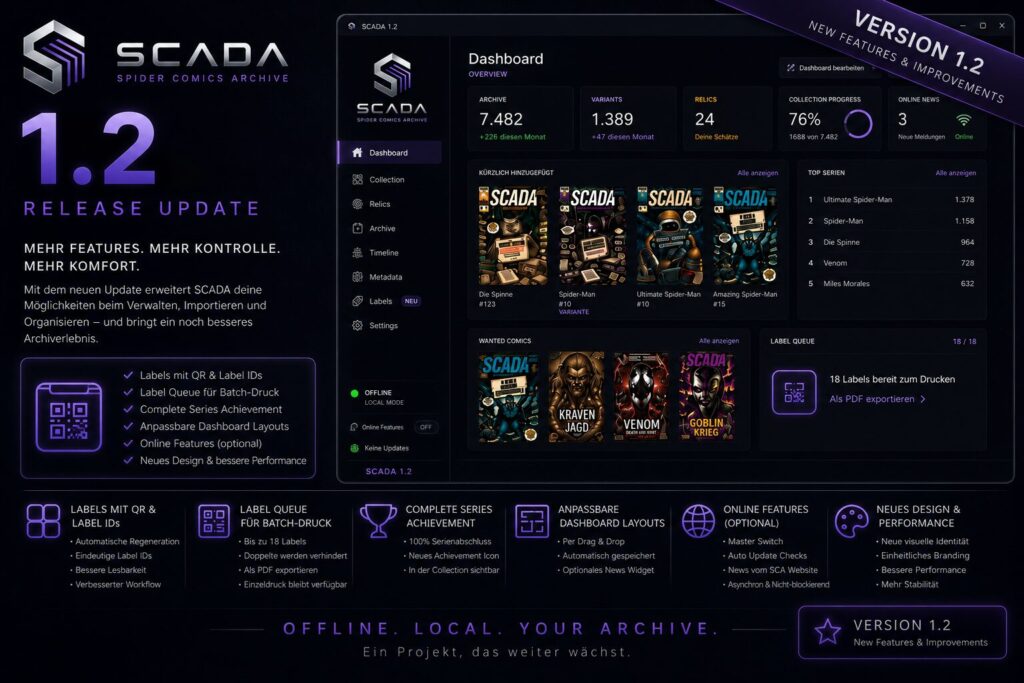
  • Automatically regenerate QR labels whenever QR-relevant comic information changes.
  • Added unique Label IDs to every generated QR label.
  • Label IDs are displayed below the QR code and embedded into the QR payload.
  • Improved Label ID readability.
  • Fixed duplicated update markers after repeated QR regenerations.

Label Queue

  • Added the new Labels navigation section.
  • Introduced the Label Queue workflow for batch label printing.
  • Queue labels directly from the Collection.
  • Supports up to 18 queued labels with duplicate prevention.
  • Export queued labels as a single PDF.
  • Existing single-label printing remains available.
  • Replaced the temporary Dashboard widget with a permanent Labels navigation entry.

Collection

  • Added the Complete Series achievement icon for series with 100% completion.
  • Reorganized the Collection context menu into Collection, Labels, and Share submenus.
  • Renamed Delete to Remove from Collection.

Dashboard

  • Added customizable Dashboard layouts with drag & drop.
  • Dashboard layout is automatically saved and restored.
  • Improved Archive Preview responsiveness.
  • Added the optional Latest News widget. (Online Features)

Online Features

  • Added the new Online Features settings page.
  • Added an optional master switch for all online features.
  • Added optional automatic update checks.
  • Added optional Dashboard News powered by the official Spider Comics Authority website.
  • Online features load asynchronously without blocking application startup.
  • Dashboard updates dynamically when online features are enabled or disabled.
  • Preserved SCADA’s offline-first architecture.
  • No account required.
  • No telemetry.
  • No collection data is transmitted.

User Interface

  • Introduced SCADA’s new visual identity with updated logo and icons.
  • Improved branding consistency throughout the application.
  • Moved application status into the navigation sidebar.
  • Sidebar footer now displays version information, Online Features status, and update notifications.

Performance & Reliability

  • Improved the overall QR label generation workflow.
  • Continued optimizing application responsiveness.
  • Various stability and usability improvements.