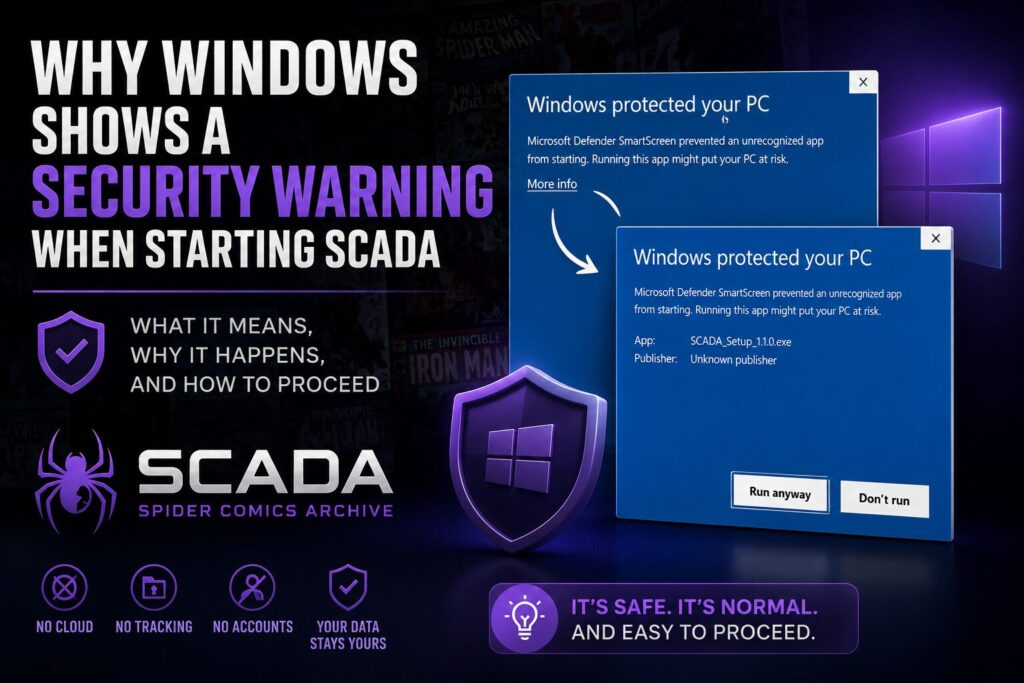
If you’ve downloaded SCADA for the first time, Windows may display a warning like this:
„Windows protected your PC.“
At first glance, that can be alarming. Fortunately, in this case it doesn’t mean SCADA is malware. Here’s why this happens and what you can do.
Why does Windows show this warning?
SCADA is developed by an independent developer and is currently not digitally code-signed.
Microsoft Defender SmartScreen uses a reputation system to determine whether an application is trusted. Since SCADA is still relatively new and doesn’t yet have an established reputation, Windows displays a warning before allowing it to run.
This is standard behavior for many new independent desktop applications.
What you’ll see
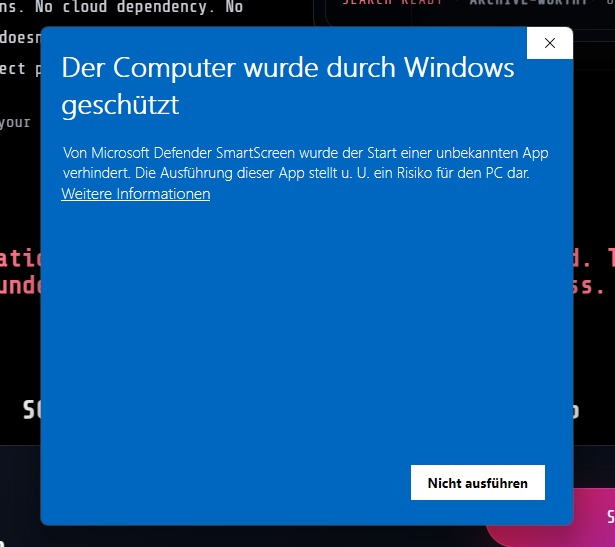
When you start the installer, Windows may display a screen similar to this:
(Screenshot: Windows SmartScreen warning)
At this point you’ll only see the „Don’t run“ button.
How to continue
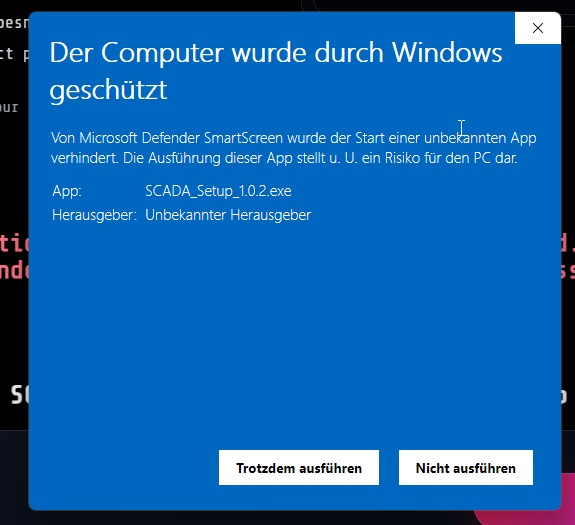
Click „More info“.
Windows will then display additional information, including the installer name and the publisher.
(Screenshot: SmartScreen after clicking „More info“)
Now you’ll see the „Run anyway“ button.
Click it to continue with the installation.
Is SCADA safe?
SCADA is developed as an Offline-First desktop application.
That means:
- No cloud account required
- No subscriptions
- No tracking
- No personal data collection
- Your comic collection remains on your own computer
The SmartScreen warning is not an indication that SCADA is malicious. It simply means Windows cannot yet verify the application’s reputation.
Future plans
Obtaining a Code Signing Certificate is already planned.
Once SCADA is digitally signed, Windows will display the verified publisher information, and over time Microsoft SmartScreen will build trust in future releases. This will greatly reduce or eventually eliminate these warnings for most users.
Still unsure?
If you have any questions about the installation process or are unsure whether you’ve downloaded the correct installer, feel free to contact me through the SCADA Discord or GitHub.
Your security and trust are important, and I want every collector to feel confident when installing SCADA.
Happy collecting! 🕷️💜